


Adobe Photoshop & Premiere Elements 2025 Student/Teacher - digital licence

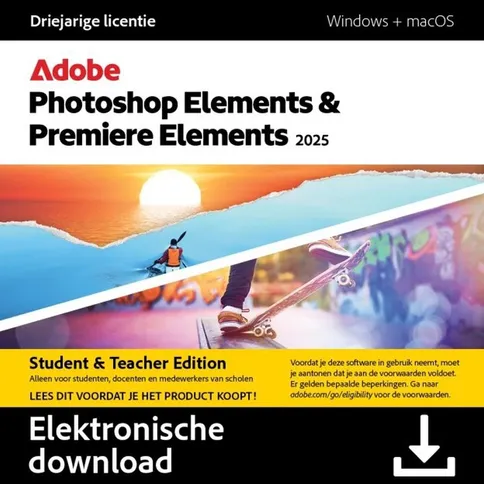

PLEASE NOTE: This is a download item. After ordering, you will receive a download code and link from our customer service to activate the software. Download products cannot be returned.
€ 109. 99
PLEASE NOTE: This is a download item. After ordering, you will receive a download code and link from our customer service to activate the software. Download products cannot be returned.
Reviews
Description
Adobe Photoshop & Premiere Elements 2025 Student/Teacher - Digital licence
PLEASE NOTE: This is a download item. After ordering, you will receive a download code and link from our customer service team to activate the software. Download products cannot be returned.
Adobe Photoshop & Premiere Elements 2025 Student/Teacher (Digital Licence): edit photos and videos with the magic of AI. Create with effects and templates. Be creative on the go.
New features and benefits
Create dynamic titles with more text controls. Choose from new eye-catching templates and style your text to fit your story with new controls for alignment, size, direction, colour, spacing and more.
Get your colours just right. Make clouds, snow and other white details look really white with the new White Balance tool, and precisely adjust the colour and brightness of your entire scene or specific areas with new colour correction curves.
Adjust the colour of footage with LUTs. Create a new mood or aesthetic by automatically transforming your colour scheme with these presets, or import and apply your own colour scheme.
Edit faster with a simplified timeline. View video tracks grouped together and audio tracks grouped together for easier navigation, find the editing options you use most in the new Quick Tools menu, lock individual tracks to prevent unintended changes and more.
Get access to free Adobe Stock title templates. Choose from many free, professionally designed templates directly in Photoshop & Premiere Elements.
Enjoy a smoother experience in Photoshop & Premiere Elements. Export videos to multiple destinations with a single click, import and navigate clips in a new media browser in the product and quickly search for shortcuts.
New support for Apple M3 chip. With full support for the new Apple M3 systems, enjoy faster performance on Mac computers.
Note: This product is for students and teachers only. Check here for terms and conditions and whether you qualify.
System requirements
Windows
- Intel 6th generation or newer processor or AMD equivalent with SSE4.1 support
- Microsoft Windows 10 (version 22H2) or Windows 11 (version 22H2), 64-bit versions only; Windows 7, Windows 8.1 are not supported
- 8 GB RAM
- 5 GB available hard disk space to install the application; additional space required for downloading online content and for temporary files during installation and use of the product (cannot be installed on a volume using a case-sensitive file system or on removable flash storage devices)
- Display resolution of 1280x800 (at 100% scale factor)
- Microsoft DirectX 12-compatible sound and display driver
- Windows Media Player (required when importing Windows Media files)
macOS
- Intel 6th generation or newer processor; Apple silicon M1 or newer processor macOS 12, macOS 13 (13.4 or later)
- 8 GB RAM
- 6 GB available hard disk space to install the application; additional space required for downloading online content and for temporary files during installation and use of the product (cannot be installed on a volume using a case-sensitive file system or on removable flash storage devices)
- 1280x800 screen resolution (with 100% scale factor)
For both Windows and macOS
- Internet connection required for product activation and downloading online content
- Recommended specifications:
- Intel 7th generation or newer processor or AMD equivalent with SSE4.1 and AVX support
- 16 GB RAM for HD media
- 32 GB or more RAM for 4K media
- 4 GB GPU VRAM
- Fast internal SSD for app installation and cache
- Extra fast drive(s) for media
Adobe Photoshop & Premiere Elements supported import/export formats include:
AVCHD (import), MPEG-1 (import), MPEG-2 (import), MPEG-4 (import), HEVC (import), DV-AVI (import on Windows), Windows Media (import on Windows), Apple ProRes (import), H.264, HDV, MP3, QuickTime (limited codecs) and more.
Features of the Adobe Photoshop & Premiere Elements 2025 - Digital licence
- Simply swipe to remove objects in photos. Make everything disappear in seconds with the new AI-powered removal tool and Object Removal Guided Edit.
- Create dynamic video titles with more text controls. Choose from new eye-catching templates and style your text to fit your story with new controls for alignment, size, direction, colour, spacing and more.
- Add realistic depth-of-field to photos with precise control. Choose your focal point and the new AI-powered Depth Blur filter automatically adds blur where it's needed. Then adjust details like blur strength, focal length and focal range for the perfect look.
- Get your video colours just right. Make clouds, snow and other white details look really white with the new White Balance tool, and precisely adjust the colour and brightness of the whole scene or specific areas with new colour correction curves.
- Change the colour of any object in a photo. Simply use the automatic selection tools to choose what you want to change, pick your new colour and fine-tune it to your style.
- Adjust the colour of imagery with LUTs. Create a new mood or aesthetic by automatically transforming your colour scheme with these presets, or import and apply your own.
- Seamlessly combine multiple photos. Mix the subject of one, the background of another and elements of many more to create a ?never-before-seen image.
- Create motion effects with four new Quick Actions. With just one click, create a sense of camera movement or add animated sparks, a blinking heart or an animated frame.
- Edit videos faster with a simplified timeline. View video tracks grouped together and audio tracks grouped together for easier navigation, find the editing options you use most in the new Quick Tools menu, lock individual tracks to prevent unintended changes, and more.
- Create with modern photo textures and images. Add a touch of designer with textured photo backgrounds and embellish creations, social images and more with fun graphics.
- Get access to free Adobe Stock video title templates. Choose from many free, professionally designed templates directly in Premiere Elements.
- Enjoy a smoother experience in Premiere Elements. Export videos to multiple destinations with a single click, import and navigate clips in a new in-product media browser and quickly search for shortcuts.
- Be creative with photos in the web companion app (beta). Add moving overlays, automatically change backgrounds, customise the look of your photos, share them on social media with QR codes and more.
- Edit and create with photos in the mobile companion app (beta). Add fun pattern overlays. Use sliders to adjust light, colour and effects. Crop, straighten and remove backgrounds with one-click Quick Actions. And more.
- Support for Apple M3 chip. With full support for the new Apple M3 systems, enjoy faster performance on Mac computers.
Package contents
- Adobe Photoshop Elements 2025 Student/Teacher - Digital licence
- Adobe Premiere Elements 2025 Student/Teacher - Digital licence
You will be sent a download code to download and activate Photoshop & Premiere Elements 2025 Student/Teacher - Digital Licence. Please note that downloadable software cannot be returned.
Adobe Photoshop & Premiere Elements 2025 Student/Teacher - Digital licence
PLEASE NOTE: This is a download item. After ordering, you will receive a download code and link from our customer service team to activate the software. Download products cannot be returned.
Adobe Photoshop & Premiere Elements 2025 Student/Teacher (Digital Licence): edit photos and videos with the magic of AI. Create with effects and templates. Be creative on the go.
New features and benefits
Create dynamic titles with more text controls. Choose from new eye-catching templates and style your text to fit your story with new controls for alignment, size, direction, colour, spacing and more.
Get your colours just right. Make clouds, snow and other white details look really white with the new White Balance tool, and precisely adjust the colour and brightness of your entire scene or specific areas with new colour correction curves.
Adjust the colour of footage with LUTs. Create a new mood or aesthetic by automatically transforming your colour scheme with these presets, or import and apply your own colour scheme.
Edit faster with a simplified timeline. View video tracks grouped together and audio tracks grouped together for easier navigation, find the editing options you use most in the new Quick Tools menu, lock individual tracks to prevent unintended changes and more.
Get access to free Adobe Stock title templates. Choose from many free, professionally designed templates directly in Photoshop & Premiere Elements.
Enjoy a smoother experience in Photoshop & Premiere Elements. Export videos to multiple destinations with a single click, import and navigate clips in a new media browser in the product and quickly search for shortcuts.
New support for Apple M3 chip. With full support for the new Apple M3 systems, enjoy faster performance on Mac computers.
Note: This product is for students and teachers only. Check here for terms and conditions and whether you qualify.
System requirements
Windows
- Intel 6th generation or newer processor or AMD equivalent with SSE4.1 support
- Microsoft Windows 10 (version 22H2) or Windows 11 (version 22H2), 64-bit versions only; Windows 7, Windows 8.1 are not supported
- 8 GB RAM
- 5 GB available hard disk space to install the application; additional space required for downloading online content and for temporary files during installation and use of the product (cannot be installed on a volume using a case-sensitive file system or on removable flash storage devices)
- Display resolution of 1280x800 (at 100% scale factor)
- Microsoft DirectX 12-compatible sound and display driver
- Windows Media Player (required when importing Windows Media files)
macOS
- Intel 6th generation or newer processor; Apple silicon M1 or newer processor macOS 12, macOS 13 (13.4 or later)
- 8 GB RAM
- 6 GB available hard disk space to install the application; additional space required for downloading online content and for temporary files during installation and use of the product (cannot be installed on a volume using a case-sensitive file system or on removable flash storage devices)
- 1280x800 screen resolution (with 100% scale factor)
For both Windows and macOS
- Internet connection required for product activation and downloading online content
- Recommended specifications:
- Intel 7th generation or newer processor or AMD equivalent with SSE4.1 and AVX support
- 16 GB RAM for HD media
- 32 GB or more RAM for 4K media
- 4 GB GPU VRAM
- Fast internal SSD for app installation and cache
- Extra fast drive(s) for media
Adobe Photoshop & Premiere Elements supported import/export formats include:
AVCHD (import), MPEG-1 (import), MPEG-2 (import), MPEG-4 (import), HEVC (import), DV-AVI (import on Windows), Windows Media (import on Windows), Apple ProRes (import), H.264, HDV, MP3, QuickTime (limited codecs) and more.
Features of the Adobe Photoshop & Premiere Elements 2025 - Digital licence
- Simply swipe to remove objects in photos. Make everything disappear in seconds with the new AI-powered removal tool and Object Removal Guided Edit.
- Create dynamic video titles with more text controls. Choose from new eye-catching templates and style your text to fit your story with new controls for alignment, size, direction, colour, spacing and more.
- Add realistic depth-of-field to photos with precise control. Choose your focal point and the new AI-powered Depth Blur filter automatically adds blur where it's needed. Then adjust details like blur strength, focal length and focal range for the perfect look.
- Get your video colours just right. Make clouds, snow and other white details look really white with the new White Balance tool, and precisely adjust the colour and brightness of the whole scene or specific areas with new colour correction curves.
- Change the colour of any object in a photo. Simply use the automatic selection tools to choose what you want to change, pick your new colour and fine-tune it to your style.
- Adjust the colour of imagery with LUTs. Create a new mood or aesthetic by automatically transforming your colour scheme with these presets, or import and apply your own.
- Seamlessly combine multiple photos. Mix the subject of one, the background of another and elements of many more to create a ?never-before-seen image.
- Create motion effects with four new Quick Actions. With just one click, create a sense of camera movement or add animated sparks, a blinking heart or an animated frame.
- Edit videos faster with a simplified timeline. View video tracks grouped together and audio tracks grouped together for easier navigation, find the editing options you use most in the new Quick Tools menu, lock individual tracks to prevent unintended changes, and more.
- Create with modern photo textures and images. Add a touch of designer with textured photo backgrounds and embellish creations, social images and more with fun graphics.
- Get access to free Adobe Stock video title templates. Choose from many free, professionally designed templates directly in Premiere Elements.
- Enjoy a smoother experience in Premiere Elements. Export videos to multiple destinations with a single click, import and navigate clips in a new in-product media browser and quickly search for shortcuts.
- Be creative with photos in the web companion app (beta). Add moving overlays, automatically change backgrounds, customise the look of your photos, share them on social media with QR codes and more.
- Edit and create with photos in the mobile companion app (beta). Add fun pattern overlays. Use sliders to adjust light, colour and effects. Crop, straighten and remove backgrounds with one-click Quick Actions. And more.
- Support for Apple M3 chip. With full support for the new Apple M3 systems, enjoy faster performance on Mac computers.
Package contents
- Adobe Photoshop Elements 2025 Student/Teacher - Digital licence
- Adobe Premiere Elements 2025 Student/Teacher - Digital licence
You will be sent a download code to download and activate Photoshop & Premiere Elements 2025 Student/Teacher - Digital Licence. Please note that downloadable software cannot be returned.
Specifications
| General | |
|---|---|
| Article number | 12509354 |
| Suitable for | Photo and video editing |
| Operating system | Windows and MacOs |
| Language |
| General | |
|---|---|
| Article number | 12509354 |
| Suitable for | Photo and video editing |
| Operating system | Windows and MacOs |
| Language |