
• Photo cameras
  • Lenses
  • Tripod
  • Video Cameras
  • Bags
  • Studio
  • Image editing
  • Binoculars
  • Accessories
  • Promotions
  • Canon
  • Sony
  • Nikon
  • Panasonic
  • Fujifilm
  • Sigma
  • DJI
  • Tamron
  • OM SYSTEM
  • Epson
  • All brands
  • Popular Sony Cameras
  • sony-a7v-1.jpg

    Sony A7 V

  • sony-a6700-body_1.jpg

    Sony A6700 body

  • 12311310_1.jpg

    Sony Cybershot DSC-RX100 mark VII

  • Popular Sony Lenses
  • SONY-FE-24-70MM-F2.8-GM-II-1.jpg

    Sony FE 24-70mm F/2.8 GM II

  • SONY-FE-24-105MM-F4.0G-OSS-1.jpg

    Sony FE 24-105mm F4 G OSS E-Mount

  • SONY-FE-50MM-F1.8-1.jpg

    Sony 50mm F1.8 E-Mount Full Frame

  • Popular Nikon Cameras
  • Nikon-Z8_1.jpg

    Nikon Z8 body

  • nikon-z6-iii-1.jpg

    Nikon Z6 III

  • nikon-zf_1.jpg

    Nikon ZF

  • Popular Nikon Lenses
  • Nikon Z 24-70mm F28 S-line Nikkor 1.jpg

    Nikkor Z 24-70mm F2.8 S

  • Nikon-Z-70-200mm-F18-S-line-Nikkor-1.jpg

    Nikon Z 70-200mm F/2.8 S-line Nikkor

  • Nikon-Z-135mm-F1.8-1.jpg

    Nikon Z 135mm F/1.8 S-line Plena

  • Popular Panasonic Cameras
  • panasonic-g9ii-1.jpg

    Panasonic LUMIX DC-G9II

  • panasonic_lumix_S52X-1.jpg

    Panasonic Lumix DC-S5IIX Body

  • panasonic_lumix_s5_m2_body.jpg

    Panasonic Lumix DC-S5II body

  • Popular Panasonic Lenses
  • 12289260_1.jpg

    Panasonic 24-105mm F4.0 L-Mount

  • panasonic-lumixs-50mm-f18_1.jpg

    Panasonic Lumix S 50 mm F/1.8

  • 12217412_1.jpg

    Panasonic Lumix G Vario 100-300mm F4-5.6 II O.I.S.

  • Popular Fujifilm Cameras
  • fujifilm_x-t5_zwart-1.jpg

    Fujifilm X-T5 Body Black

  • Fujifilm-X-E5-zwart-1.jpg

    Fujifilm X-E5 black

  • fujifilm-x100vi-silver-1.jpg

    Fujifilm X100VI silver

  • Popular Fujifilm Lenses
  • Fujifilm_30700_foto1.jpg

    Fujifilm XF 70-300mm F/4.0-5.6 R LM OIS WR

  • 11024042_32426.jpg

    Fujinon XF 16-55mm f/2.8 R LM WR

  • Fujifilm_XF33mm_F14_RWR_foto1.jpg

    Fujifilm XF 33mm F/1.4 R WR

  • Popular Sigma wide angle lenses
  • sigma-24-70-f2.8-dgdnii-art-lens-1.jpg

    SIGMA 24-70mm F2.8 DG DN II Art Sony E-mount

  • Sigma-18-50-E_1.jpg

    Sigma 18-50mm F/2.8 DC DN Contemporary Sony E

  • Popular Sigma macro lenses
  • Sigma_105mm_F2.8_1_2.jpg

    Sigma 105mm F/2.8 DG DN Macro ART Sony FE

  • Popular Sigma telephoto lenses
  • 12201072_1.jpg

    Sigma 150-600mm F/5-6.3 DG OS HSM Contemporary Canon EF

  • Sigma_70_200_2.8_1.jpg

    Sigma 70-200mm F/2.8 DG DN OS Sports Sony FE-mount

  • Popular DJI Drones
  • DJI Mini 5 Pro Fly More Combo + Smart Controller & Cleaning Kit_1.webp

    DJI Mini 5 Pro Fly More Combo + Smart Controller & Cleaning Kit

  • 12508293_1.jpg

    DJI Air 3S Fly More Combo + RC 2 Remote Controller

  • Popular DJI action cameras
  • dji-osmo-action-6-adventure-combo-1.webp

    DJI Osmo Action 6 - Adventure Combo

  • osmo pocket4-in the box 2.jpg

    DJI Osmo Pocket 4 Creator Combo

  • Popular DJI Stabilisers
  • dji-rs-5-combo_12.jpg

    DJI RS 5 Combo

  • DJI-RS-4-Mini-1.jpg

    DJI RS 4 Mini Combo

  • Popular Tamron wide angle lenses
  • 12308793_1.jpg

    Tamron 17-28mm F/2.8 Di III RXD Sony FE

  • Tamron-28-75mm-F2.8-Di-III-VXD-G2_2.jpg

    Tamron 28-75mm F/2.8 Di III VXD G2 Sony FE

  • Popular Tamron macro lenses
  • Tamron-20mm-F28-Di-III-OSD.jpg

    Tamron 20mm F/2.8 Di III OSD Sony FE

  • Popular Tamron telephoto lenses
  • Tamron 28-200mm F2.8-5.6 Di III RXD_1.jpg

    Tamron 28-200mm F/2.8-5.6 Di III RXD Sony FE

  • 12425774-1.jpg

    Tamron 50-400mm F/4.5-6.3 Di III VC VXD Sony FE

  • Popular Olympus Cameras
  • 12481096_1.jpg

    OM SYSTEM OM-1 mark II body

  • OMSystem_Tough_TG7_rood_foto1.jpg

    OM SYSTEM Tough TG-7 - Red

  • Olympus-E-M10-IV-zilver_1.jpg

    Olympus OM-D E-M10 Mark IV Silver

  • Popular Olympus Lenses
  • om-system-mzuiko-12-40mm_1.jpg

    OM SYSTEM MFT 12-40 mm F/2.8 PRO II

  • 11011001_24500.jpg

    Olympus M.Zuiko Digital ED 60mm F2.8 Macro Black

  • Olympus_MFT_14-150mm_f40-56II_zwartED_M.JPG

    Olympus M.Zuiko Digital 14-150mm F4.0-5.6 II Black

  • Popular Epson printers
  • Epson-EcoTank-ET-8550_1.jpg

    Epson EcoTank ET-8550 All-in-one A3+ Photo Printer

  • 12364673_1.jpg

    Epson EcoTank ET-8500 All-in-one Photo Printer

  • 12333395.jpg

    Epson SureColor SC-P700 A3+ Photo Printer

  • Popular Epson scanners
  • 12171706_1.jpg

    Epson Perfection V600 Photo

  • 12203118.jpg

    Epson Perfection V850 Pro

  • 12447712_1.jpg

    Epson Perfection V39II Scanner

  • Nature photography
  • City photography
  • Model photography
  • Action photography
  • Reportage photography
  • Studio photography
  • Videography
  • Techniques

While shooting, you accidentally delete a photo. Or worse… you format your entire memory card. With the push of a button, it's all gone. Now what? Is it really lost? Don't worry, you can retrieve deleted photos! How does it work? You'll learn just that in this article.

Do not create new photos on your memory card

Deleted photos can often still be retrieved, they remain hidden on your memory card. This means they remain there in the background. If you take new photos, the deleted photo's will be overwritten at some point. After that, they really are lost… Naturally, you don't want that!

Therefore, the first and most important step after accidentally deleting photos is not to create any new photos on your memory card. Stop shooting. Turn off your camera. Remove your memory card from the slot, and insert it into your card case. Thus, you avoid overwriting the pictures and there is a better chance of recovery. This is also a great reason to always carry more than one memory card around.
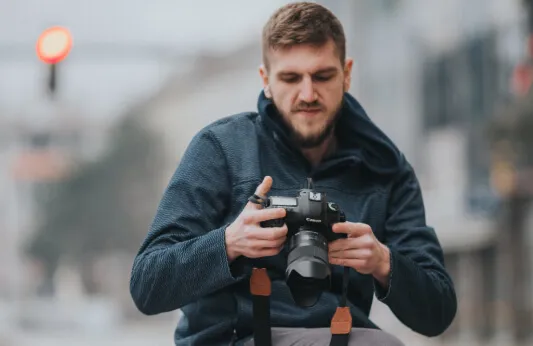

Did you know...

There are three common situations where you can accidentally delete your photos?

  • By simply throwing your photo in the recycle bin
  • By formatting your memory card
  • By removing your memory card from the camera while it is on
verwijderde-foto-terughalen-stap-1.jpg
Download recovery software

You want to retrieve your photos. But how do you do that? It's pretty simple. Download recovery software.

With (free) recovery software, you can make deleted, or hidden, photos visible again. Sometimes you get this software for free when buying a memory card, such as with a Lexar or SanDisk memory card. Don't have the software yet? No problem at all. There are plenty of programs you can download. Paid or totally free.

Recovery software for Windows

You can find both paid and free programs for Windows. Cardrecovery is a paid option. It allows you to recover deleted photos as well as repair damaged memory cards. The software costs €40, but has a free trial. Useful if you first want to see if the program finds the hidden photos.

Recuva is an excellent free program. It is a powerful program with a clear interface. So you can simply retrieve your deleted photos both from your camera and your phone. It even recovers deleted files from a hard drive.

windows-logo.png
Recovery software for Mac

Unfortunately, there are no free versions for Mac. Don't mind paying? Then we recommend SanDisk Pro Recovery or SanDisk Pro Deluxe. Recovery software for Mac and Windows. The price for this recovery software is relatively low and you always have the option to use a free trial first.

Of course, there is also the option to borrow a Windows PC.

apple-logo.png
Repairing deleted photos

Recovering lost photos is easy and fast. You specify the file type you are looking for and where the program should look: your memory card. The software also always looks for easy-to-find files first. Are all your photos lost? Then choose the Extensive search option, or Deep search. Now your deleted. or hidden, photos will be retrieved. Finally, move it to a new location: a hard drive, USB stick or another memory card.

Tips:

  • Always give the software the command 'search all files'.
  • Images often mean .JPG; .PNG; .GIF; and .RAW. With the latter, a problem arises. Some cameras create RAW photos with an extension: .NEF (Nikon); .DNG (Pentax); or .TIFF. These are not found in 'search images'.

Nothing is more annoying than losing photos before they are on a PC or another backup device. Luckily, you can retrieve deleted photos! We hope these tips will help you succeed. Good luck!

Want to read more blogs?

Check out one of these articles:

Photoshop.jpg
PHOTOSHOP EDITING

The possibilities of Photoshop are endless. But where do you start?

compositie.jpg
WHAT IS COMPOSITION?

Composition can make or break your photo! Discover our most important tips.

scherptediepte1.jpg
DEPTH OF FIELD

Read all about one of the most used terms in photography: depth of field.