




Monitor
With a monitor, you can work long hours in the office as well as create graphic designs at home or play wonderful games. Suitable screens can be found for every application.
192
Search results
Sort by:
Popularity
Popularity
Price low - high
Price high - low
["12565633","12422725","12422726","12549586","12563712","12511556","12572636","12567206","12578666","12563710","12567207","12503642","12503641","12533896","12563711","12536655","12491653","12463831"]
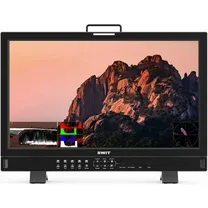
SWIT BM-H245 23.8 inch 12G-SDI 4K QD-LED HDR professional FHD Monitor
On order
List price €3,217.00
€ 2,999. 00

Swit S-1243FS 23.8-inch FHD Studio Monitor
On order
€ 2,285. 00

Swit S-1173FS 17-inch FHD Studio Monitor
On order
€ 1,814. 00

Obsbot Talent Studio Combo
On order
€ 3,049. 00

SEETEC S24 23.8" 12G-SDI monitor
On order
€ 2,419. 99

SEETEC 21.5-inch 3G SDI 4K HDMI Pro Broadcast LCD Monitor (with flight case)
On order
€ 999. 00
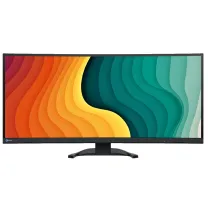
EIZO FlexScan EV3851X Monitor 37.5" - Black
On order
€ 1,814. 00

Fortinge PRO173 Broadcast Monitor 17,3 inch
On order
€ 1,634. 00
 5 years warranty
ASUS ProArt Display Oled PA32USD 32" 4K Professional Monitor
Temporarily sold out
€ 2,799. 00
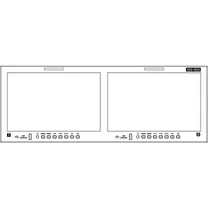
SEETEC FRM1001G Dual 10.1" 4RU Rackmount Monitor with 12G-SDI
On order
€ 1,209. 99
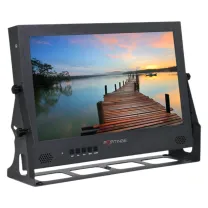
Fortinge PRO173-UHD Broadcast Monitor 17,3 inch 4K
On order
€ 1,464. 00
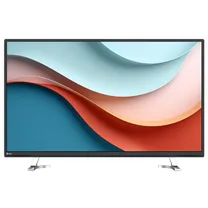 5 years warranty
EIZO EV4340X-BK 42.5-inch 4K UHD Monitor
On order
€ 1,870. 00
 5 years warranty
EIZO EV4340X-WT 42.5-inch 4K UHD Monitor
On order
€ 1,870. 00
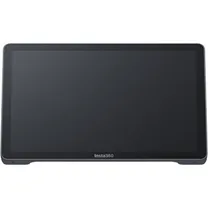
Insta360 Connect Touch Panel EN
On order
€ 719. 99

SEETEC FRM701G Dual 7" 3RU Rackmount Monitor with 12G-SDI
On order
€ 1,089. 99

Accsoon Cineview M7
On order
€ 849. 90
 5 years warranty
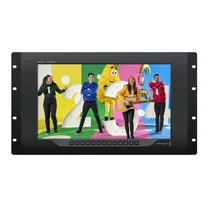
Blackmagic Design SmartView 4K G3
On order
€ 1,362. 00
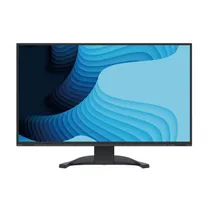
EIZO EV2740X-BK FlexScan 4K USB-C monitor black
On order
€ 1,040. 00
Popularity
Price low - high
Price high - low
Computer monitor
Despite the prevalence of laptops with integrated screen, a desktop PC with accompanying monitor remains popular for both home and office use. An adjustable monitor for work use must have filters that counteract eye fatigue, whereas a high-grade, colour-rich monitor is ideal for watching films or playing games on. Besides LG monitors, EIZO also offers a number of outstanding models.
Screen resolution
Just as with TVs, the image quality plays a crucial role in ultimate colour accuracy and definition. The resolution refers to the screen's horizontal and vertical pixels, and resolution quality has increased dramatically in recent years. Where before you had HD ready pictures with a resolution of 1280x720 or 1366x768, nowadays many monitors feature Full HD (1920x1080) specs. Recent years have even seen screens that are 4K Ultra HD compatible, with 3840x2160 pixels this image quality is 4x sharper than Full HD. Ultimately, of course, the right screen for you depends on what you will be using it for. A standard monitor will do fine for office use, but if you undertake graphic design work or like playing games then a high-grade monitor provides added value.
High image quality
Not only the display quality but the resolution plays also a decisive role in the ultimate image quality. LCD monitors have long since dominated the market, but the alternative known as IPS has seen a significant rise in recent years. IPS (In Plane Switching) technology is where pixel alignment ensures improved image quality, both in terms of colour and contrast. In addition, no colour changes occur from an oblique viewing angle. Just as with televisions, the (O)LED background lighting yields enhanced performance, by using small, individually-controllable lights. The contrast ratio is significantly higher and as such the screen can differentiate more colours. The screen's response time and refresh rate are decisive in the speed at which images on the screen can be refreshed and will play a key role when watching videos and playing games.
Different sizes
Monitor sizes vary from mini models measuring just 5 inches, to whopping 42 inch models. Which one to choose depends on what you'll be using the monitor for. If it's meant for standard office work or home use, a 24 inch version will do just fine. However, if you're looking to create designs, watch countless videos or play new games then you'll need a 27 inch screen at the very least. Such a monitor will show you every tiny detail.
UltraWide and curved screens
Besides standard monitors there are several other variants on the market that offer a little bit extra. UltraWide screens with a width to height ratio of 21:9 are ideal for playing games or working split-screen. The maximum detailing and wide viewing angle help draw you further into the film's ambience. Another option to get more detail out of the screen is to buy a curved monitor. As the name suggests, this screen is curved, creating more image depth. Moreover, you get better colour rendering, because the curved design ensures optimum viewing from all angles.
Connections and extras
Present-day monitors feature various connections, including HDMI which you can use to transfer high resolution images from your PC to the monitor. Some models also have a DVI connection, allowing you to hook up older computers to the screen. With a USB-C connection you can transfer audio, video or the power supply via a cable to e.g. a laptop or MacBook. Some monitors feature a digital TV tuner, so it can also be used as a television.
Other accessories
A range of accessories can be of added value to your monitor. Besides connecting a monitor to your computer/laptop via an HDMI cable, it is also advisable to keep the screen clean and dust-free. You can do so using special cleaning cloths. If you want to wall-mount your screen, you will need to buy a wall bracket. For the ultimate film or gaming experience there is always high-grade audio equipment too of course.