
• Photo cameras
  • Lenses
  • Tripod
  • Video Cameras
  • Bags
  • Studio
  • Image editing
  • Binoculars
  • Accessories
  • Promotions
  • Canon
  • Sony
  • Nikon
  • Panasonic
  • Fujifilm
  • Sigma
  • DJI
  • Tamron
  • OM SYSTEM
  • Epson
  • All brands
  • Popular Sony Cameras
  • sony-a7v-1.jpg

    Sony A7 V

  • sony-a6700-body_1.jpg

    Sony A6700 body

  • 12311310_1.jpg

    Sony Cybershot DSC-RX100 mark VII

  • Popular Sony Lenses
  • SONY-FE-24-70MM-F2.8-GM-II-1.jpg

    Sony FE 24-70mm F/2.8 GM II

  • SONY-FE-24-105MM-F4.0G-OSS-1.jpg

    Sony FE 24-105mm F4 G OSS E-Mount

  • SONY-FE-50MM-F1.8-1.jpg

    Sony 50mm F1.8 E-Mount Full Frame

  • Popular Nikon Cameras
  • Nikon-Z8_1.jpg

    Nikon Z8 body

  • nikon-z6-iii-1.jpg

    Nikon Z6 III

  • nikon-zf_1.jpg

    Nikon ZF

  • Popular Nikon Lenses
  • Nikon Z 24-70mm F28 S-line Nikkor 1.jpg

    Nikkor Z 24-70mm F2.8 S

  • Nikon-Z-70-200mm-F18-S-line-Nikkor-1.jpg

    Nikon Z 70-200mm F/2.8 S-line Nikkor

  • Nikon-Z-135mm-F1.8-1.jpg

    Nikon Z 135mm F/1.8 S-line Plena

  • Popular Panasonic Cameras
  • panasonic-g9ii-1.jpg

    Panasonic LUMIX DC-G9II

  • panasonic_lumix_S52X-1.jpg

    Panasonic Lumix DC-S5IIX Body

  • panasonic_lumix_s5_m2_body.jpg

    Panasonic Lumix DC-S5II body

  • Popular Panasonic Lenses
  • 12289260_1.jpg

    Panasonic 24-105mm F4.0 L-Mount

  • panasonic-lumixs-50mm-f18_1.jpg

    Panasonic Lumix S 50 mm F/1.8

  • 12217412_1.jpg

    Panasonic Lumix G Vario 100-300mm F4-5.6 II O.I.S.

  • Popular Fujifilm Cameras
  • fujifilm_x-t5_zwart-1.jpg

    Fujifilm X-T5 Body Black

  • Fujifilm-X-E5-zwart-1.jpg

    Fujifilm X-E5 black

  • fujifilm-x100vi-silver-1.jpg

    Fujifilm X100VI silver

  • Popular Fujifilm Lenses
  • Fujifilm_30700_foto1.jpg

    Fujifilm XF 70-300mm F/4.0-5.6 R LM OIS WR

  • 11024042_32426.jpg

    Fujinon XF 16-55mm f/2.8 R LM WR

  • Fujifilm_XF33mm_F14_RWR_foto1.jpg

    Fujifilm XF 33mm F/1.4 R WR

  • Popular Sigma wide angle lenses
  • sigma-24-70-f2.8-dgdnii-art-lens-1.jpg

    SIGMA 24-70mm F2.8 DG DN II Art Sony E-mount

  • Sigma-18-50-E_1.jpg

    Sigma 18-50mm F/2.8 DC DN Contemporary Sony E

  • Popular Sigma macro lenses
  • Sigma_105mm_F2.8_1_2.jpg

    Sigma 105mm F/2.8 DG DN Macro ART Sony FE

  • Popular Sigma telephoto lenses
  • 12201072_1.jpg

    Sigma 150-600mm F/5-6.3 DG OS HSM Contemporary Canon EF

  • Sigma_70_200_2.8_1.jpg

    Sigma 70-200mm F/2.8 DG DN OS Sports Sony FE-mount

  • Popular DJI Drones
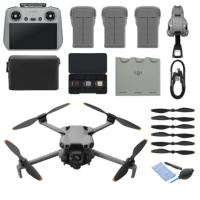
  • DJI Mini 5 Pro Fly More Combo + Smart Controller & Cleaning Kit_1.webp

    DJI Mini 5 Pro Fly More Combo + Smart Controller & Cleaning Kit

  • 12508293_1.jpg

    DJI Air 3S Fly More Combo + RC 2 Remote Controller

  • Popular DJI action cameras
  • dji-osmo-action-6-adventure-combo-1.webp

    DJI Osmo Action 6 - Adventure Combo

  • osmo pocket4-in the box 2.jpg

    DJI Osmo Pocket 4 Creator Combo

  • Popular DJI Stabilisers
  • dji-rs-5-combo_12.jpg

    DJI RS 5 Combo

  • DJI-RS-4-Mini-1.jpg

    DJI RS 4 Mini Combo

  • Popular Tamron wide angle lenses
  • 12308793_1.jpg

    Tamron 17-28mm F/2.8 Di III RXD Sony FE

  • Tamron-28-75mm-F2.8-Di-III-VXD-G2_2.jpg

    Tamron 28-75mm F/2.8 Di III VXD G2 Sony FE

  • Popular Tamron macro lenses
  • Tamron-20mm-F28-Di-III-OSD.jpg

    Tamron 20mm F/2.8 Di III OSD Sony FE

  • Popular Tamron telephoto lenses
  • Tamron 28-200mm F2.8-5.6 Di III RXD_1.jpg

    Tamron 28-200mm F/2.8-5.6 Di III RXD Sony FE

  • 12425774-1.jpg

    Tamron 50-400mm F/4.5-6.3 Di III VC VXD Sony FE

  • Popular Olympus Cameras
  • 12481096_1.jpg

    OM SYSTEM OM-1 mark II body

  • OMSystem_Tough_TG7_rood_foto1.jpg

    OM SYSTEM Tough TG-7 - Red

  • Olympus-E-M10-IV-zilver_1.jpg

    Olympus OM-D E-M10 Mark IV Silver

  • Popular Olympus Lenses
  • om-system-mzuiko-12-40mm_1.jpg

    OM SYSTEM MFT 12-40 mm F/2.8 PRO II

  • 11011001_24500.jpg

    Olympus M.Zuiko Digital ED 60mm F2.8 Macro Black

  • Olympus_MFT_14-150mm_f40-56II_zwartED_M.JPG

    Olympus M.Zuiko Digital 14-150mm F4.0-5.6 II Black

  • Popular Epson printers
  • Epson-EcoTank-ET-8550_1.jpg

    Epson EcoTank ET-8550 All-in-one A3+ Photo Printer

  • 12364673_1.jpg

    Epson EcoTank ET-8500 All-in-one Photo Printer

  • 12333395.jpg

    Epson SureColor SC-P700 A3+ Photo Printer

  • Popular Epson scanners
  • 12171706_1.jpg

    Epson Perfection V600 Photo

  • 12203118.jpg

    Epson Perfection V850 Pro

  • 12447712_1.jpg

    Epson Perfection V39II Scanner

  • Nature photography
  • City photography
  • Model photography
  • Action photography
  • Reportage photography
  • Studio photography
  • Videography
  • Techniques

Creating a Time-lapse

This is how you create the most bueatiful Time-lapse photo

Time-lapse photography is the art of taking individual photos and combining them into a video that shows the movement of the surrounding environment.

This could be the movement of clouds, stars or even the hustle and bustle of a city. The results can show how a scene can change dramatically over time. For example, between different weather types or from one season to another. Time-lapse photography tells a different story about the surrounding landscapes that a single image might not be able to tell.

Making videos from photos

Of course, to understand how it all works, we must first understand how videos are made.

In the world of film and television, when we see motion, we actually see separate images displayed one after the other at a certain frame rate. Generally, this frame rate is somewhere between 24-30 frames per second, so when we look at 10 seconds of footage, we actually see 240-300 separate images rendered very quickly to create motion.

Now if we apply the same way of thinking to photography, all we have to do is take a certain number of pictures during a certain period of time.

Pre-planning

When planning your shoot, you must take into account the movement of the subject.

Are you going to see much difference over time, or will everything stay the same? Planning the shot and choosing a subject in a scene that changes over time makes for a more interesting result. This could be anything such as the setting sun, traffic driving in a city, or a change in the weather.

Remember that photographic rules still apply to time-lapse photography, so make sure you don't overlook composition. Consider framing your shot with the rule of thirds, try to find interesting outlines and always make sure there are no distracting elements in your shot.

You should plan your shoot as you would for any photo shoot. Think about what kind of time-lapse you want to make in advance. This allows you to concentrate on the shoot instead of running around not knowing what to shoot. When making a time-lapse video, shooting can take a long time because of the number of images needed, so planning is crucial if you want to get the shots you want in the limited time you may have.

Recording

When taking the shots for your time-lapse, there are some things you should not forget so that you avoid a failed shot.

First, think about how long you want the camera to run. Depending on the frame rate of your final video, always remember that 24-25 shots equal one second of video. So if you want to make a 20-second video, you'll need about 500 images.

You also need to think about the interval between each frame, the gap between each shot taken. You can judge the interval time based on how fast subjects are moving in the scene. One of the easiest ways to choose an interval is with simple maths. If you want to capture some clouds moving over a mountain for three hours and know you want a 15-second time-lapse video, the best way to calculate it is this way:

  • First, see how many frames you need (24 x 15 = 360 frames)
  • Then calculate the number of minutes you will be shooting (3 x 60 = 180 minutes)
  • Divide the minutes by the number of frames you need (360/180 = 0.5 minute = 30 seconds)

This means you set your interval to 30 seconds.

However, you have to consider your subject; if you are photographing a busy downtown street with people walking by, an interval of a few seconds is about where you should stay. If you do this longer, you’ll end up with completely faded people. On the other hand, if you are photographing slow moving clouds over a field, then a longer interval of 30 seconds is better to compact the slow movement. This is a bit more fun to watch anyway.

The next settings to be done are the ISO, aperture and shutter speed. The aperture can be anything you like and the ISO should be as low as possible, but it is ultimately up to what you will be shooting to decide on these factors. A basic principle that still works in time-lapse is the 180° shutter rule. In short, your shutter speed should be half of your interval; so a 10-second interval results in a five-second shutter speed, and so on. This gives just enough blur for smooth images.

What equipment do you need now?

Nowadays, you can shoot a nice time-lapse even with your smartphone without needing an additional application to do so.

Whatever device you go out with, shoot in Manual mode at all times and use a tripod. To take your time-lapse to an even higher level, you can choose to work with a slider, among other things.

Post-editing

Now that you've shot your time-lapse, it's time for post-editing. This can be done easily in 7 steps:

  1. Import the photos into a post-editing program of your choice
  2. Edit 1 photo to your liking and synchronise this edit across all photos
  3. Save the photos in a separate folder
  4. Open a video editing program of your choice
  5. Import your edited photos
  6. Make some adjustments in your video (length, colours, aspect ratio etc.)
  7. Export the file and you're done!

Try it out!

It's really up to you, but by experimenting you will eventually understand what works best for a particular scene or subject. Grab your camera, phone or action cam and head out!